

Are you ready to transform your WordPress content strategy and drive rankings on autopilot? AIRAG SEO Agent is a powerful AI content engine designed to integrate directly with your website, leveraging leading AI models to create SEO-optimized articles. This guide will walk you through setting up and mastering the AIRAG SEO Agent Command Center, turning your ideas into high-ranking blog posts effortlessly.
Based on the latest version 1.5.1, this AIRAG SEO Agent guide covers everything from initial setup to advanced automation. Whether you’re repurposing YouTube videos or training the AI on your private documents, you’ll find all the steps you need to harness its full potential.
Table of Contents
- Getting Started: Plugin Licensing and Activation
- Configuring Your AI Engine: Choosing the Right Model
- Building Your AI’s Brain: Website and Document Sync
- Defining Your Brand Voice: The Core AI Persona
- The Content Studio: Your Creative Hub
- Precision Control: Advanced Content Settings
- Automating Your Content Strategy with the Schedule Manager
- Support and Technical Details
- Frequently Asked Questions
Getting Started: Plugin Licensing and Activation
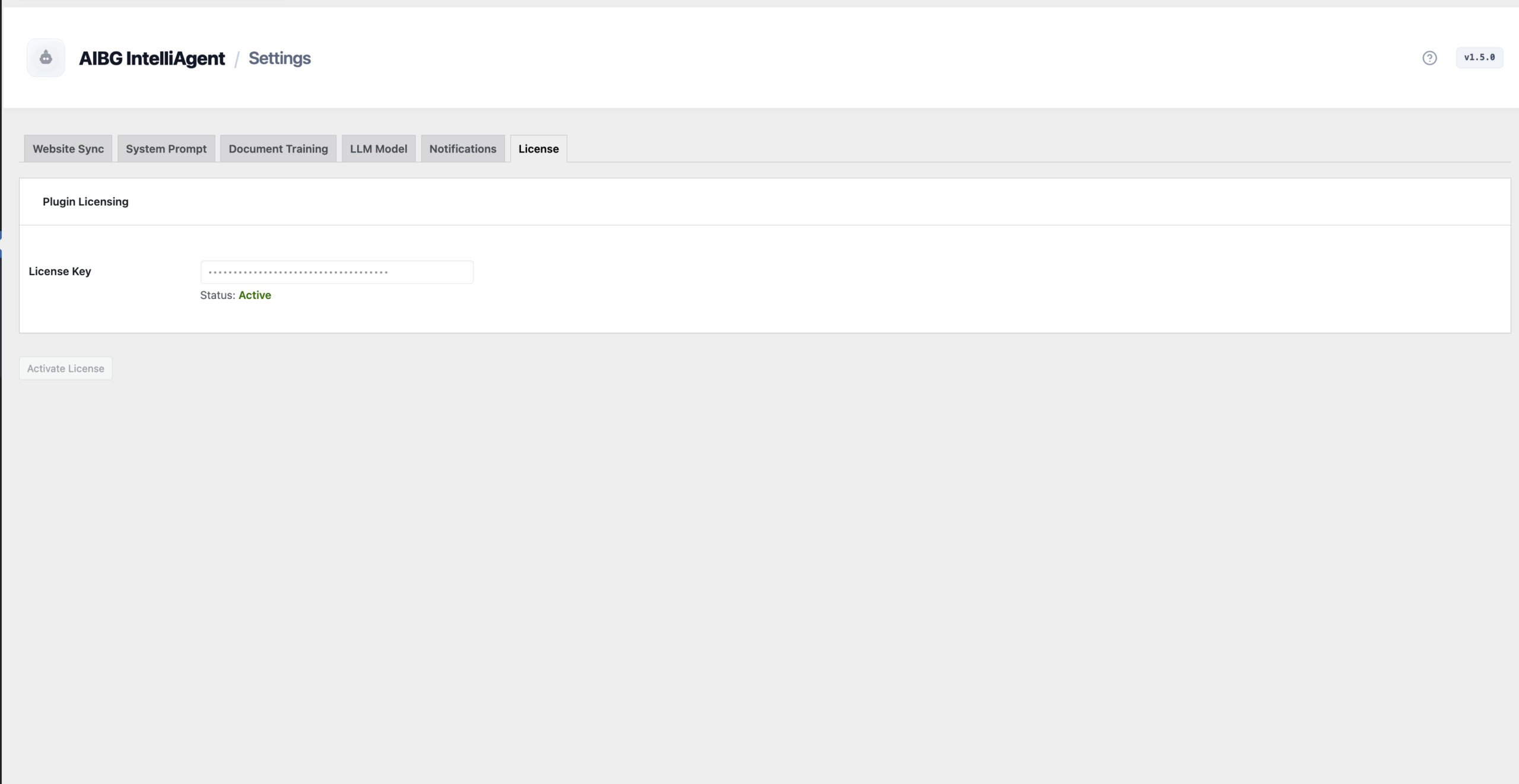
The first step to unlocking the full power of AIRAG SEO Agent is to activate your license. This process is simple and secures the communication between your WordPress site and the AI engine.
Navigate to the License tab within the plugin’s dashboard. Here, you will paste your unique License Key into the designated field. Upon successful verification, the status will update to Active, and you’ll be ready to configure your AI settings.
Configuring Your AI Engine: Choosing the Right Model
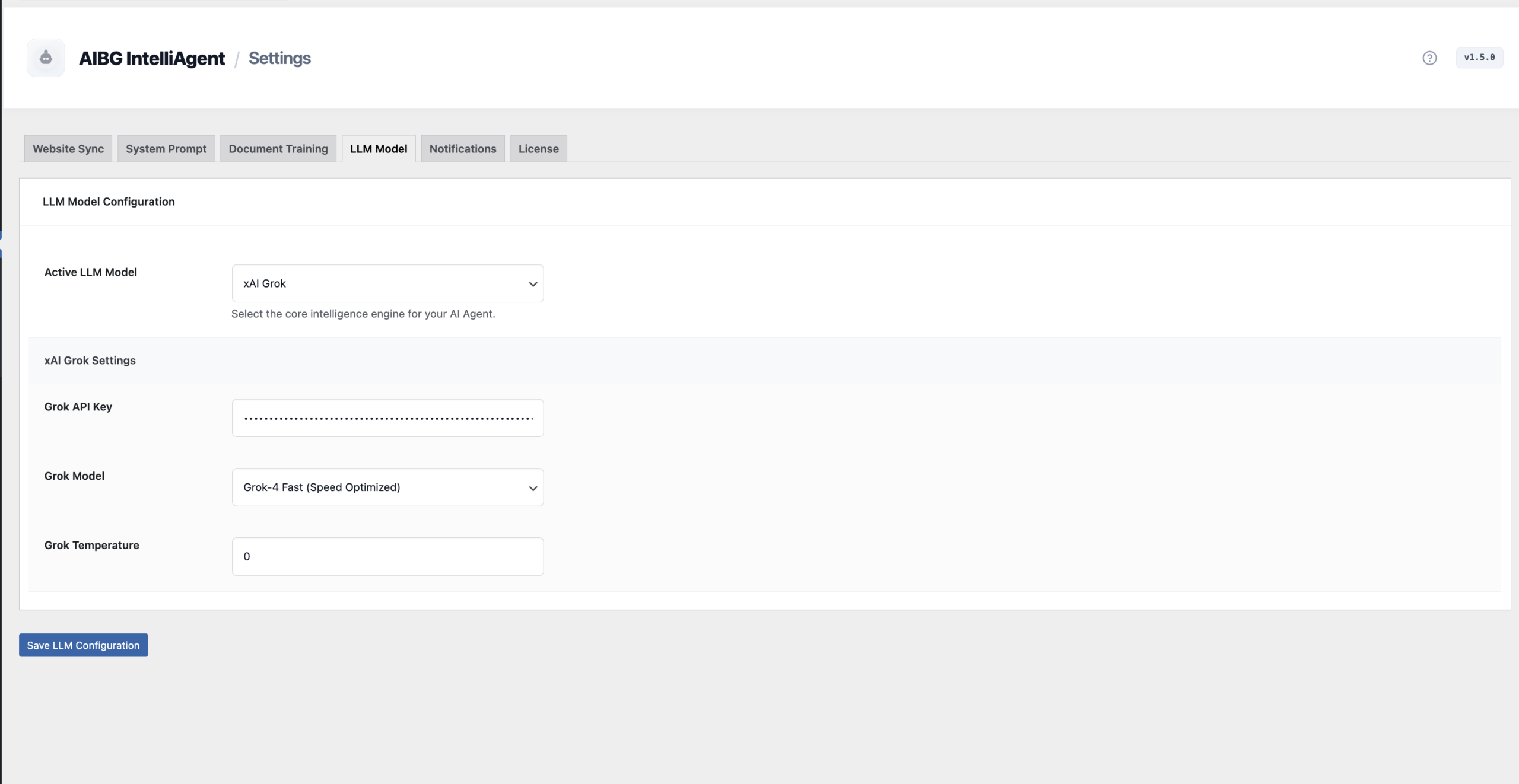
AIRAG SEO Agent offers multi-model support, allowing you to choose the best AI for your specific content needs. You can seamlessly switch between industry-leading providers like OpenAI, Google Gemini, and xAI Grok directly from the AI Engine Configuration panel.
Each model has unique strengths. Selecting the right one ensures your content aligns perfectly with your goals, whether you need creative flair, deep technical analysis, or the ability to process large amounts of information.
AI Model Comparison
To help you decide, here is a breakdown of what each AI engine is best suited for:
| AI Model | Primary Strength | Best Use Cases |
|---|---|---|
| Google Gemini | Multimodal Analysis & Large Context | Transforming YouTube videos, processing extensive documents, and tasks requiring a massive context window. |
| OpenAI (GPT series) | Creative & Nuanced Writing | Generating engaging narratives, creative storytelling, and content with a specific, nuanced tone. |
| xAI Grok | Logic & Technical Reasoning | Creating technically accurate articles, logical explanations, and content that requires factual precision. |
Building Your AI’s Brain: Website and Document Sync
The standout feature of AIRAG SEO Agent is its ability to learn from your unique content using Retrieval-Augmented Generation (RAG). This process builds a knowledge base, or “brain,” ensuring the AI generates content that is factually grounded in your specific business data, not generic web information.
Website Knowledge Sync
The Website Sync tab allows the agent to scan and tokenize your existing pages and posts. You can discover all content on your domain, perform a bulk sync to build the initial knowledge base, and even schedule daily refreshes to keep the information current.
Document Training
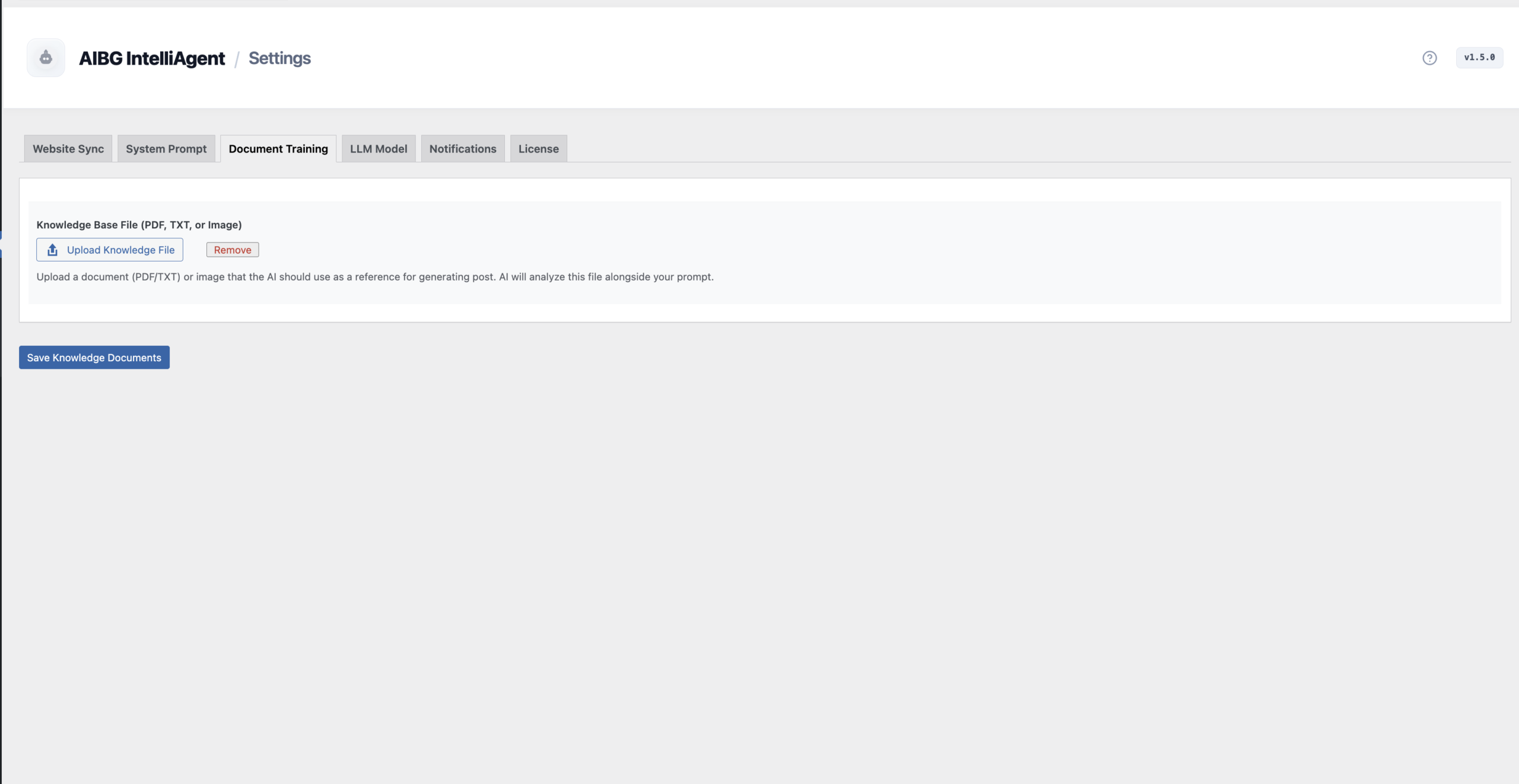
For proprietary knowledge not published on your site, use the Document Training feature. You can upload PDFs, TXT files, and even images. This is perfect for training the AI on internal whitepapers, product manuals, or case studies to create truly authoritative content.
Defining Your Brand Voice: The Core AI Persona
Consistency is key to building a strong brand. The AI Persona tab allows you to define your brand’s personality, writing style, and specific rules the AI must follow. You can instruct it on what to include, what to avoid, and the overall tone it should adopt.
Expert Insight: AIRAG SEO Agent includes a powerful shortcut for this process. Use the “Auto-Generate from Website Content” button to let the AI analyze your existing site content and automatically create its own persona instructions. This ensures the generated persona aligns perfectly with your established brand voice.
This core instruction set governs all content generation, ensuring every article sounds like it came directly from you.
The Content Studio: Your Creative Hub
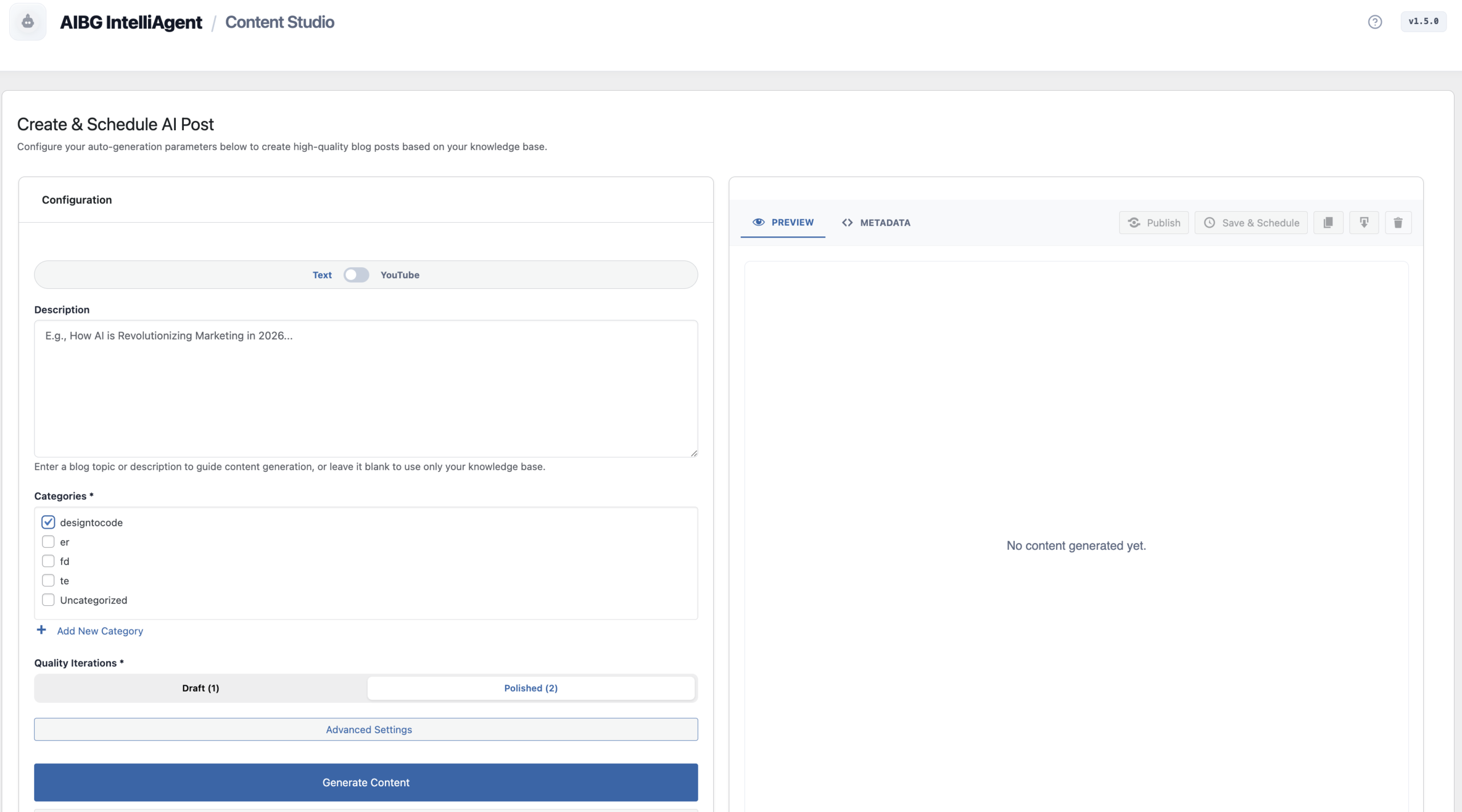
The Content Studio is where you’ll spend most of your time generating articles. This intuitive workspace allows you to create content from two primary sources: text prompts or YouTube videos.
- Text Mode: Provide a topic, keywords, or a detailed brief to generate a standard blog post.
- YouTube Intelligence: Simply paste a YouTube URL. The agent will analyze the video’s transcript and metadata to create a comprehensive, SEO-rich article based on its content.
You can also control the quality of the output. Choose a “Draft” for a quick single-pass generation or “Polished” for a more refined two-pass iteration. A live HTML preview lets you see the final result instantly.
Precision Control: Advanced Content Settings
For those who need surgical precision, the Advanced Settings modal provides granular control over each article. Before generating, you can fine-tune several key parameters:
- Target Keywords: Explicitly define the primary and secondary keywords for the AI to focus on for optimization.
- Audience & Tone: Adjust the audience level from Beginner to Advanced and the tone from Casual to Academic.
- Global Languages: Generate content in over 40 languages, perfect for reaching a global audience.
These settings allow you to tailor every single post to a specific audience, intent, and SEO goal.
Automating Your Content Strategy with the Schedule Manager
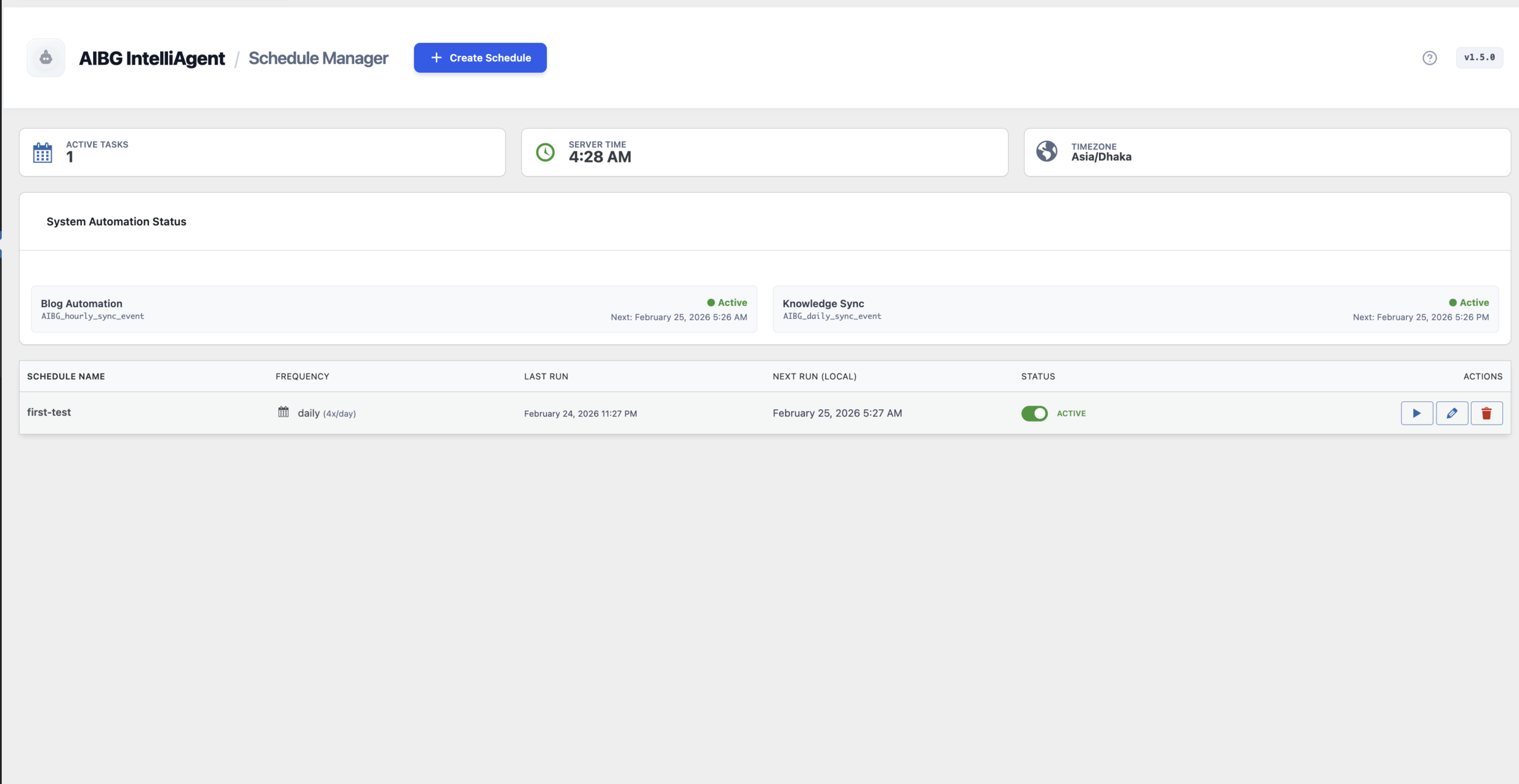
True automation is achieved with the Schedule Manager. This powerful engine lets you put your entire content strategy on autopilot. You can configure the agent to automatically generate and publish posts without any manual intervention.
Set a generation frequency (Daily, Weekly, or Monthly) and control the volume by defining how many posts to create per day. The dashboard provides a clear overview of the schedule, including the “Next Run” time, so you always know when new content will be published.
Support and Technical Details
AIRAG SEO Agent is developed and maintained by ShahiSoft. It’s important to note that your data privacy is a priority. All training data, synchronized content, and activity logs are stored locally within your WordPress database and are never hosted externally.
The software is distributed under the GPL v2.0 license. For any technical assistance, troubleshooting, or license-related questions, you can reach out to the dedicated support team.
Frequently Asked Questions
Which AI model should I choose in AIRAG SEO Agent?
The best AI model depends on your task. Use Google Gemini for analyzing YouTube videos or large documents, OpenAI for creative and nuanced writing, and xAI Grok for content that requires strong logic and technical accuracy.
How does the Website Sync feature work?
The Website Sync feature scans the pages and posts on your WordPress site. It tokenizes this content to create a local knowledge base. This allows the AI to generate new articles that are factually consistent with your existing information, a process known as Retrieval-Augmented Generation (RAG).
Can I train the AI on my own private documents?
Yes. The Document Training feature allows you to upload PDF, TXT, and image files. This is ideal for providing the AI with proprietary knowledge, such as internal reports, technical specifications, or exclusive research that isn’t publicly available on your website.
Is my data safe when using AIRAG SEO Agent?
According to the documentation, all of your synchronized content, uploaded documents, and generated articles are stored locally within your own WordPress database. The plugin does not host your proprietary data, ensuring your information remains private and under your control.
By following this AIRAG SEO Agent guide, you can streamline your content creation process, improve SEO performance, and build topical authority with factually accurate, AI-powered articles. Ready to get started? You can explore purchase options and unlock lifetime access to revolutionize your WordPress workflow.
To get started and automate your WordPress content with AI, explore the lifetime access plans available at https://airagseo.com/buy-now/.